A self-service support portal to increase customer satisfaction
Modules
Key Capabilities
Everything you need to master help desk in one unified platform.
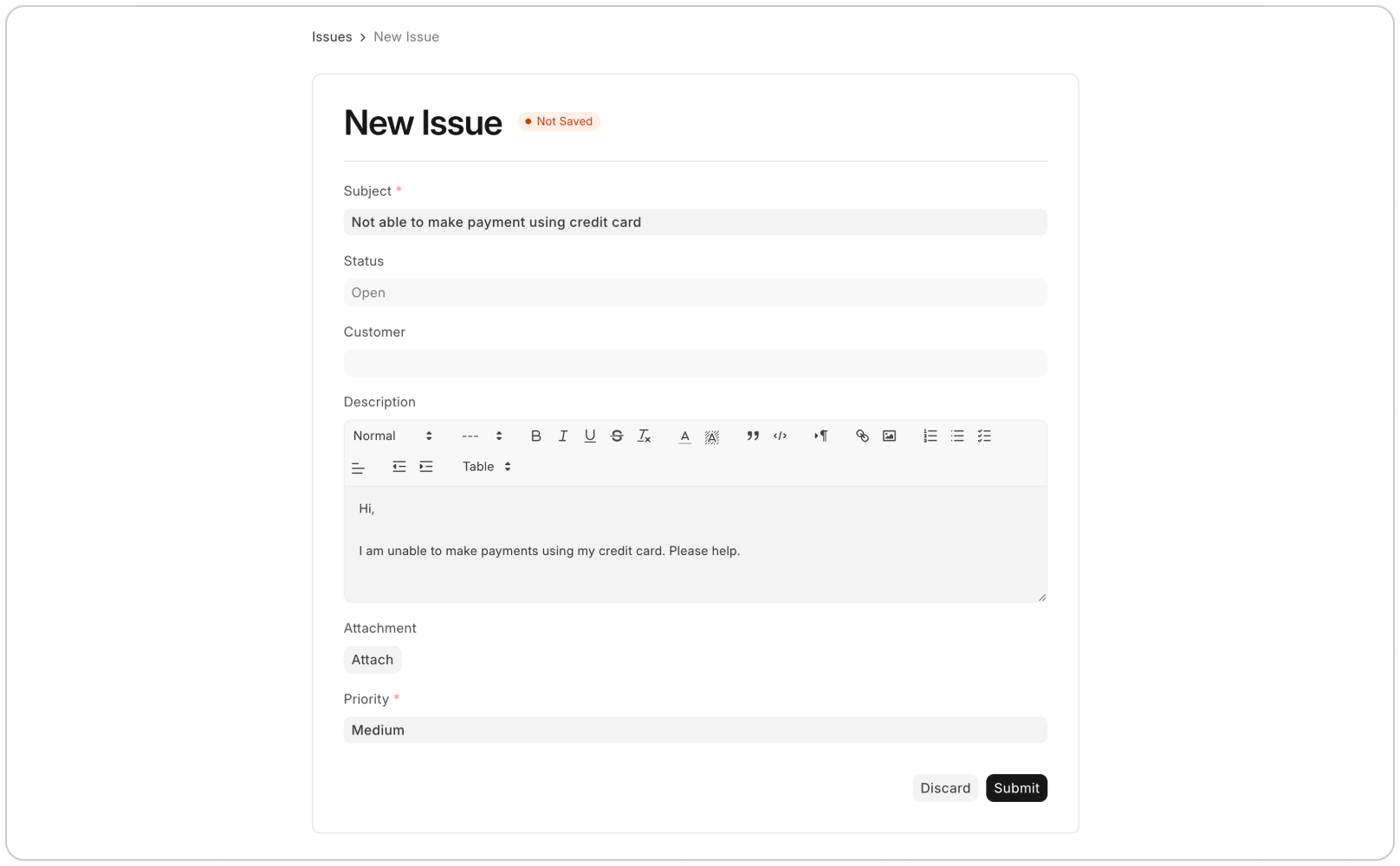
Manage customer tickets across multiple channels
Manage customer tickets across multiple channels ERPNext centralizes all customer interactions, whether calls, emails, or chats, into support tickets. This ensures your team can handle all inquiries in one place, reducing response times and improving efficiency. Features like call popup via Twilio or Exotel integration notify you of incoming calls, while email-to-ticket conversion ensures that every query is captured.
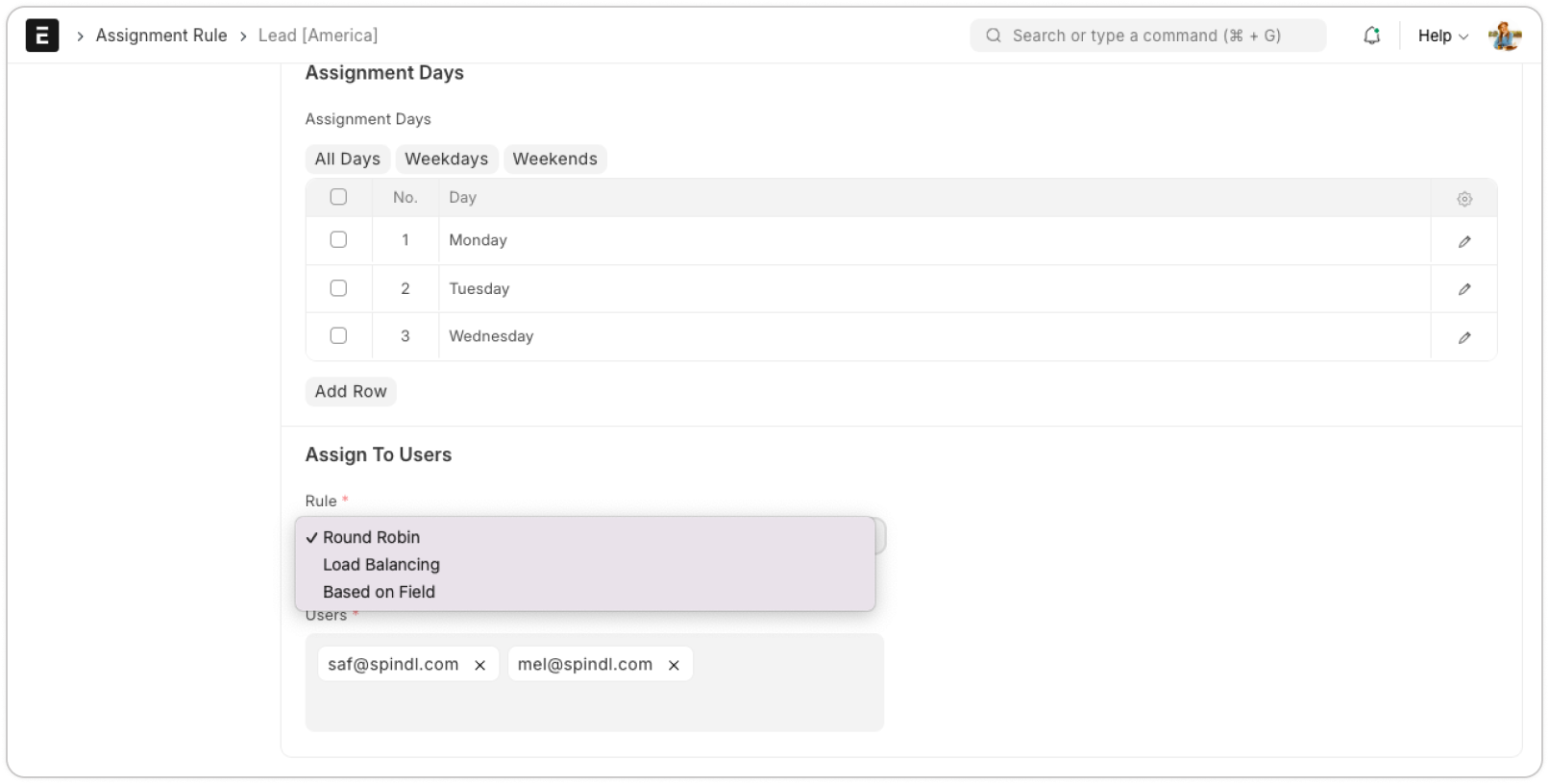
Automate ticket assignments
Automate ticket assignments Simplify ticket distribution by setting up automatic assignment rules, such as round-robin or load balancing, to ensure an even workload across your team. This minimizes manual effort and allows your team to focus on resolving customer issues faster, improving response times and customer satisfaction.
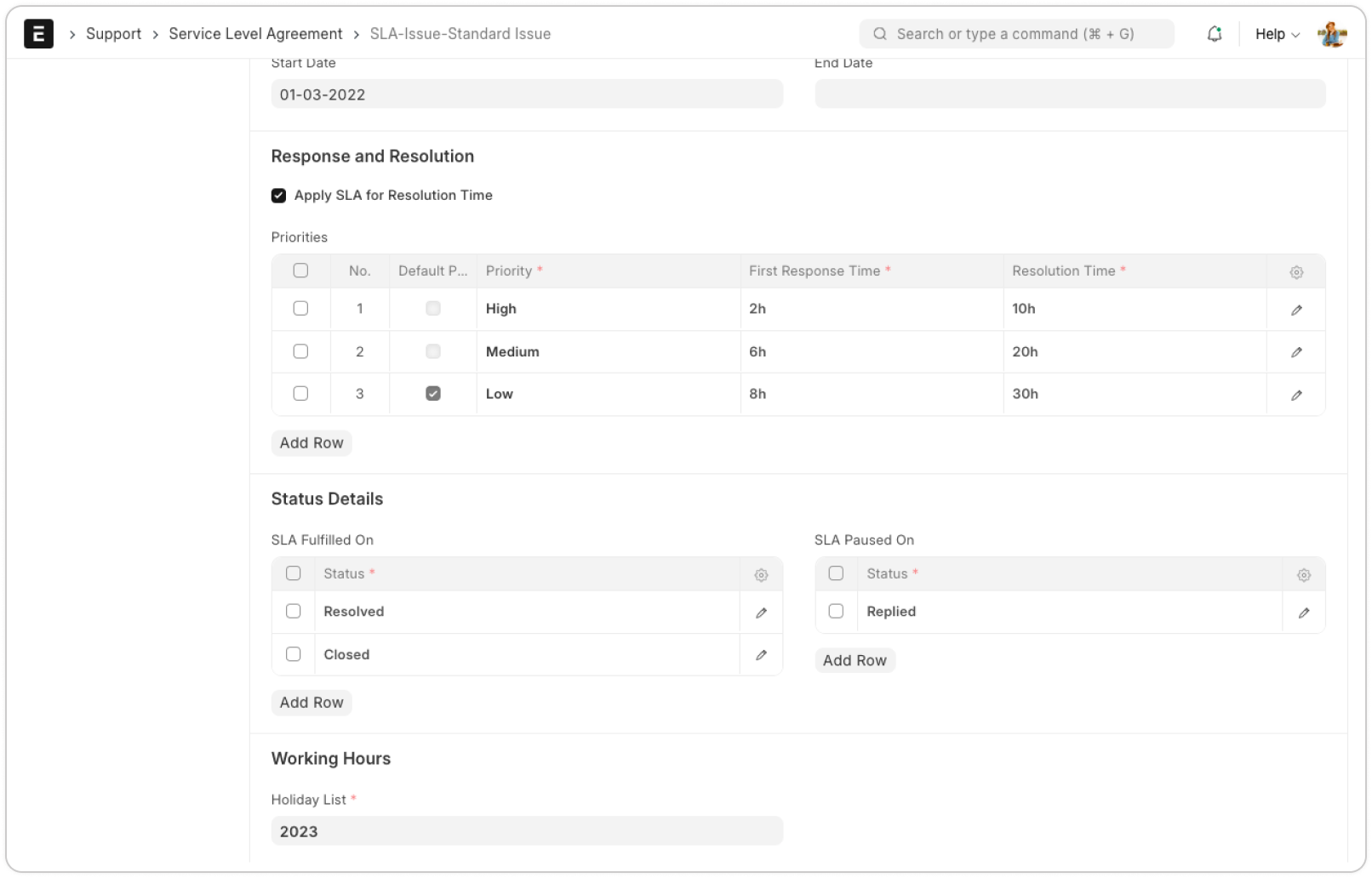
Track SLAs for timely resolutions
Track SLAs for timely resolutions Set response and resolution times with SLAs that align with your support policies. ERPNext automatically tracks and updates the SLA status of tickets in real-time, keeping your team informed and helping them address issues promptly if targets are not met. This ensures timely resolution and adherence to your support standards.
Monitor team performance with detailed reports
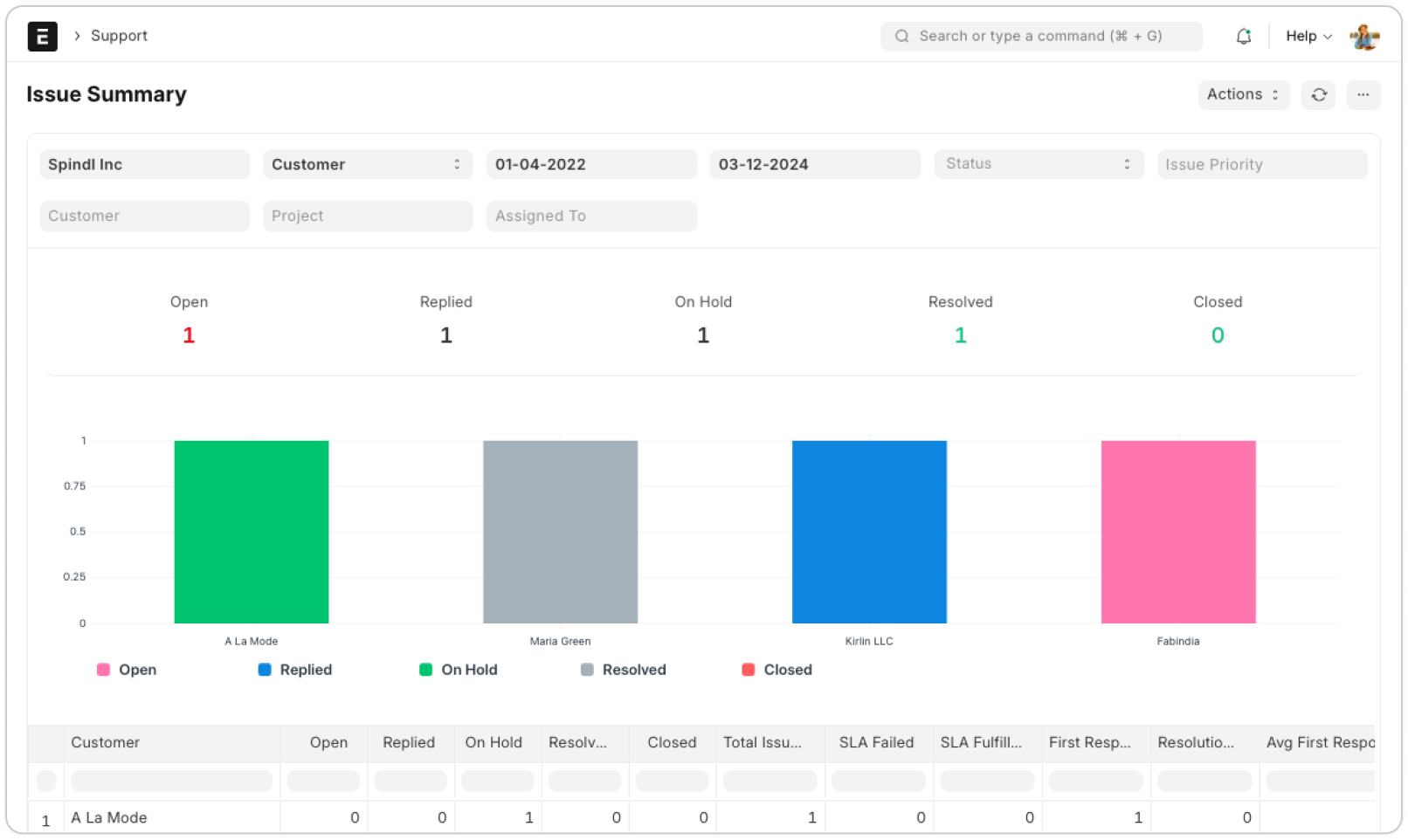
Monitor team performance with detailed reports ERPNext provides key reports like Support Hour Distribution, Issue Summary, Issue Analytics, and First Response Time for Issues. These insights help you track team efficiency, understand workload distribution, and identify areas for improvement to ensure better customer service outcomes.
Empower customers with self-service portals
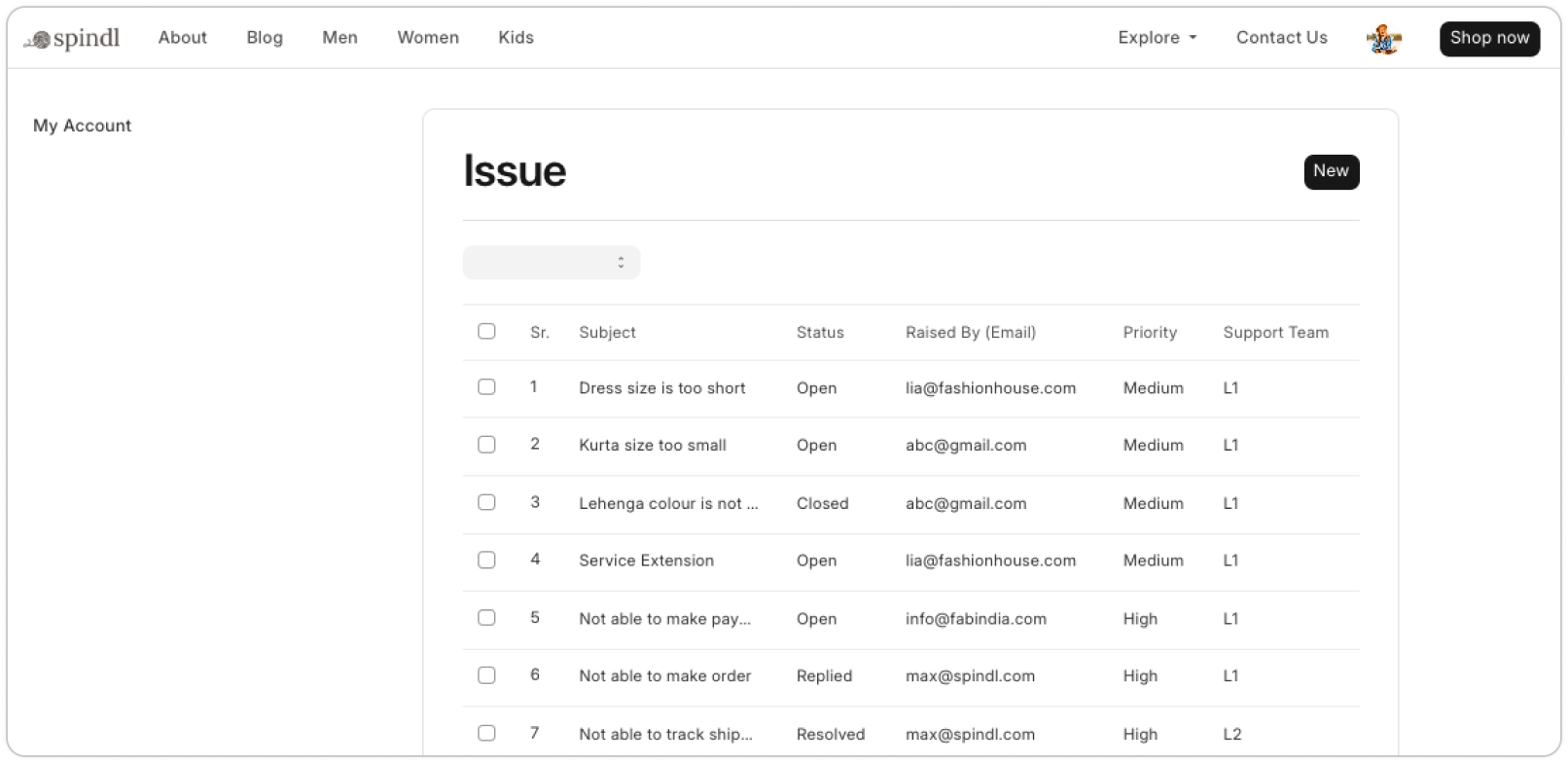
Empower customers with self-service portals The ERPNext support module allows businesses to provide efficient customer service with a dedicated portal for customers to log, track, and manage their support tickets. Customers can view ticket statuses, raise new issues, and communicate directly with support teams for resolution.
Reduce ticket load with a knowledge base
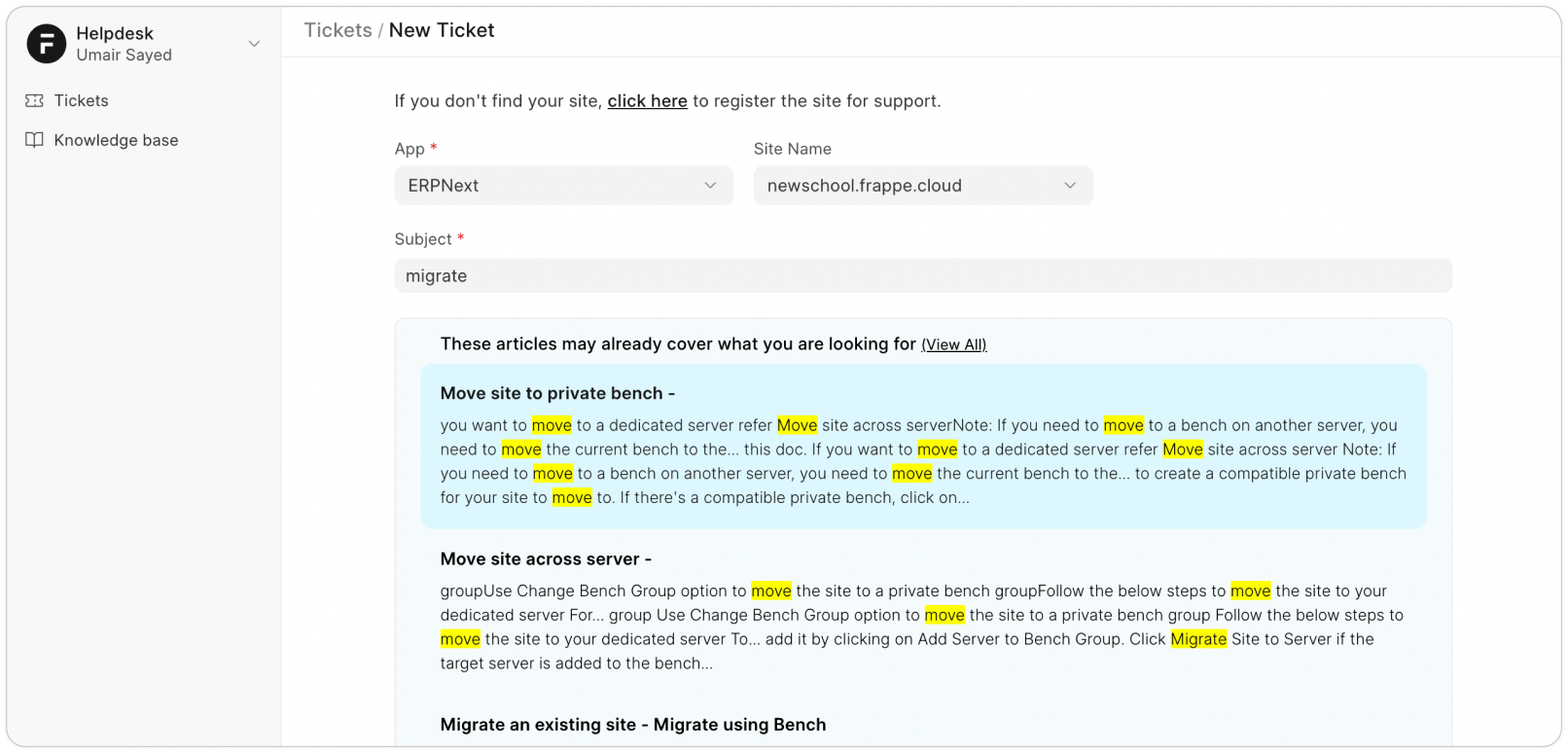
Reduce ticket load with a knowledge base The Knowledge Base is a repository of articles designed to address frequently asked questions (FAQs) and "How-To" queries of customers. By leveraging this resource, you can build a valuable asset that empowers customers to resolve issues independently. When an issue is reported, relevant Knowledge Base articles are automatically suggested based on the subject. This robust collection of articles also enhances the efficiency of support agents, significantly reducing response times on customer queries.
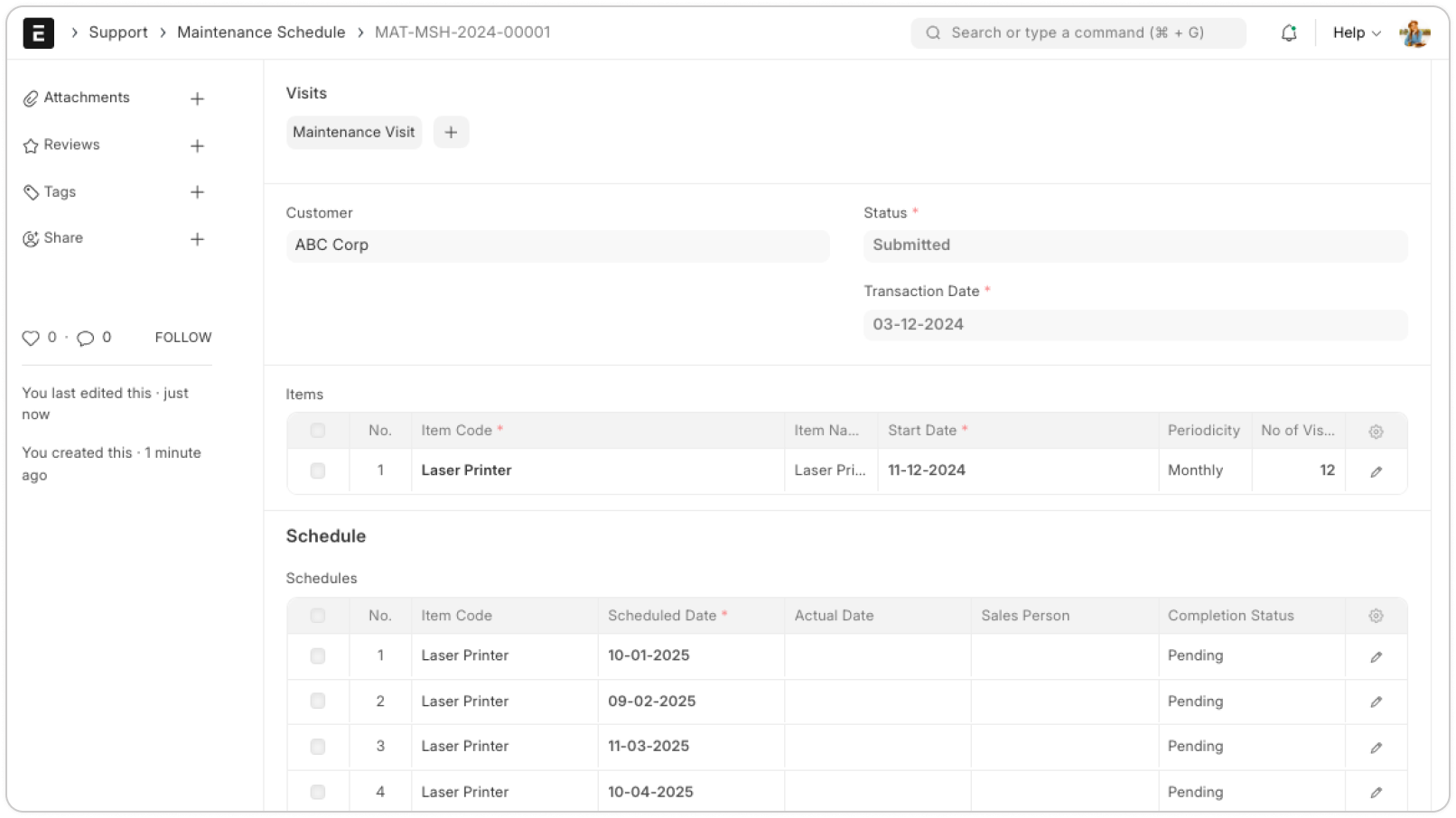
Schedule and track maintenance visits
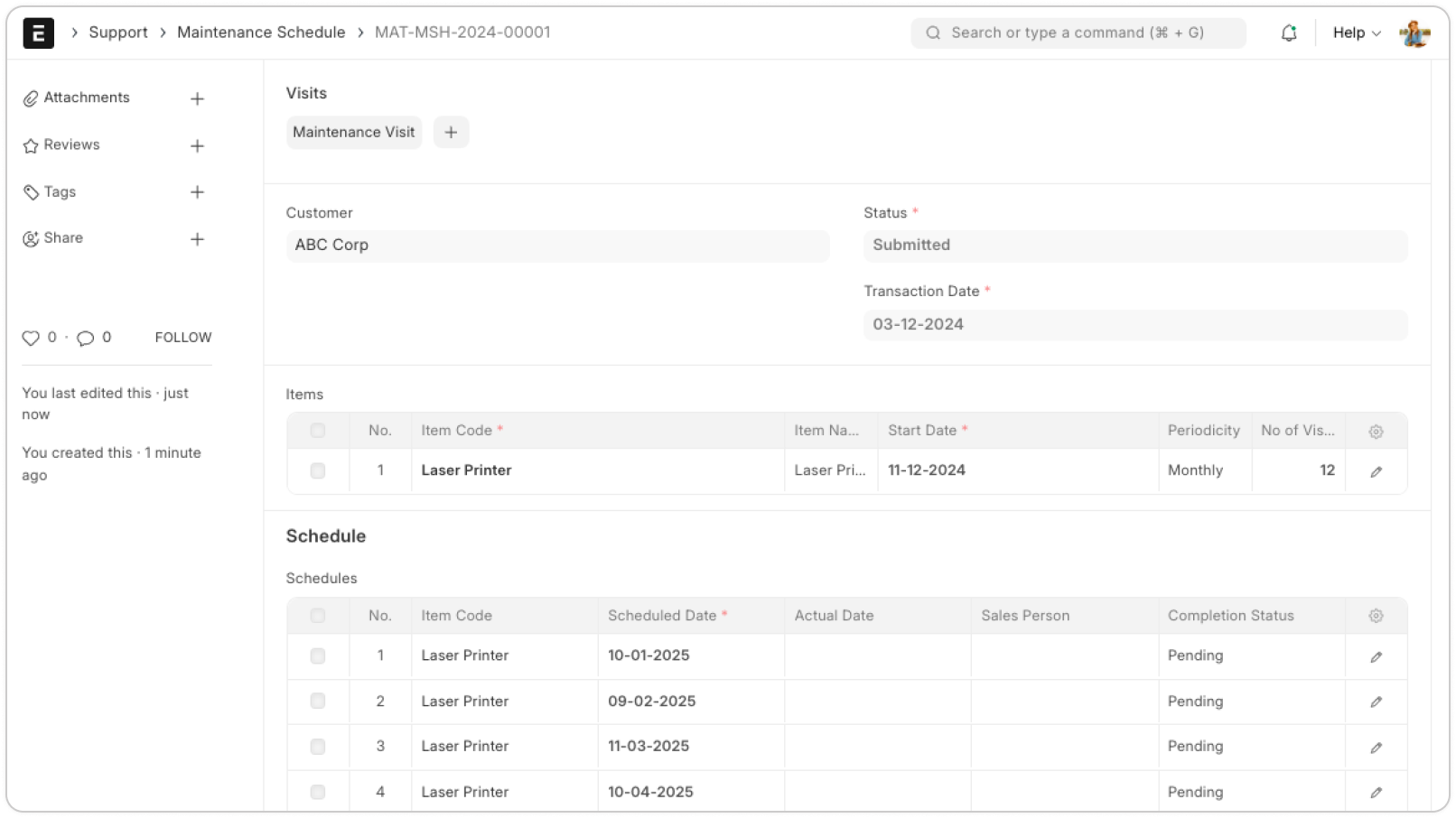
Schedule and track maintenance visits The Maintenance Schedule feature allows you to plan and track service visits, log the work completed, and capture customer feedback. This ensures that maintenance tasks are carried out seamlessly and all details are recorded efficiently, helping you provide consistent and high-quality service.
Frequently Asked Questions
Common questions about the Help Desk module.
Standard implementation takes 4-8 weeks depending on the complexity of your current processes and data migration requirements.
Yes, ERPNext features a robust REST API out of the box. We routinely integrate it with third-party tools such as Shopify, Stripe, and biometrics.
Related Capabilities
Explore other features that integrate perfectly with Help Desk.
Ready to Build Your ERP the Right Way?
See ERPNext tailored to your industry in a 30-minute walkthrough. Get real answers on custom Frappe development and ERPNext implementations.
- Personalized demo
- Implementation roadmap
- Customization consult
- Transparent pricing