Software Built Around Your Business
When your workflow doesn't match ERPNext's standard modules, we extend the underlying Frappe Framework to build exactly what you need — custom data models, automated workflows, and integrations engineered for how you actually operate.
import frappe
from frappe.model.document import Document

class CustomLoyalty(Document):
  def validate(self):
    self.calc_points()

  def calc_points(self):
    if self.tier == 'Gold':
      self.multiplier = 1.5
    else:
      self.multiplier = 1.0
Loyalty Program
Custom DocType
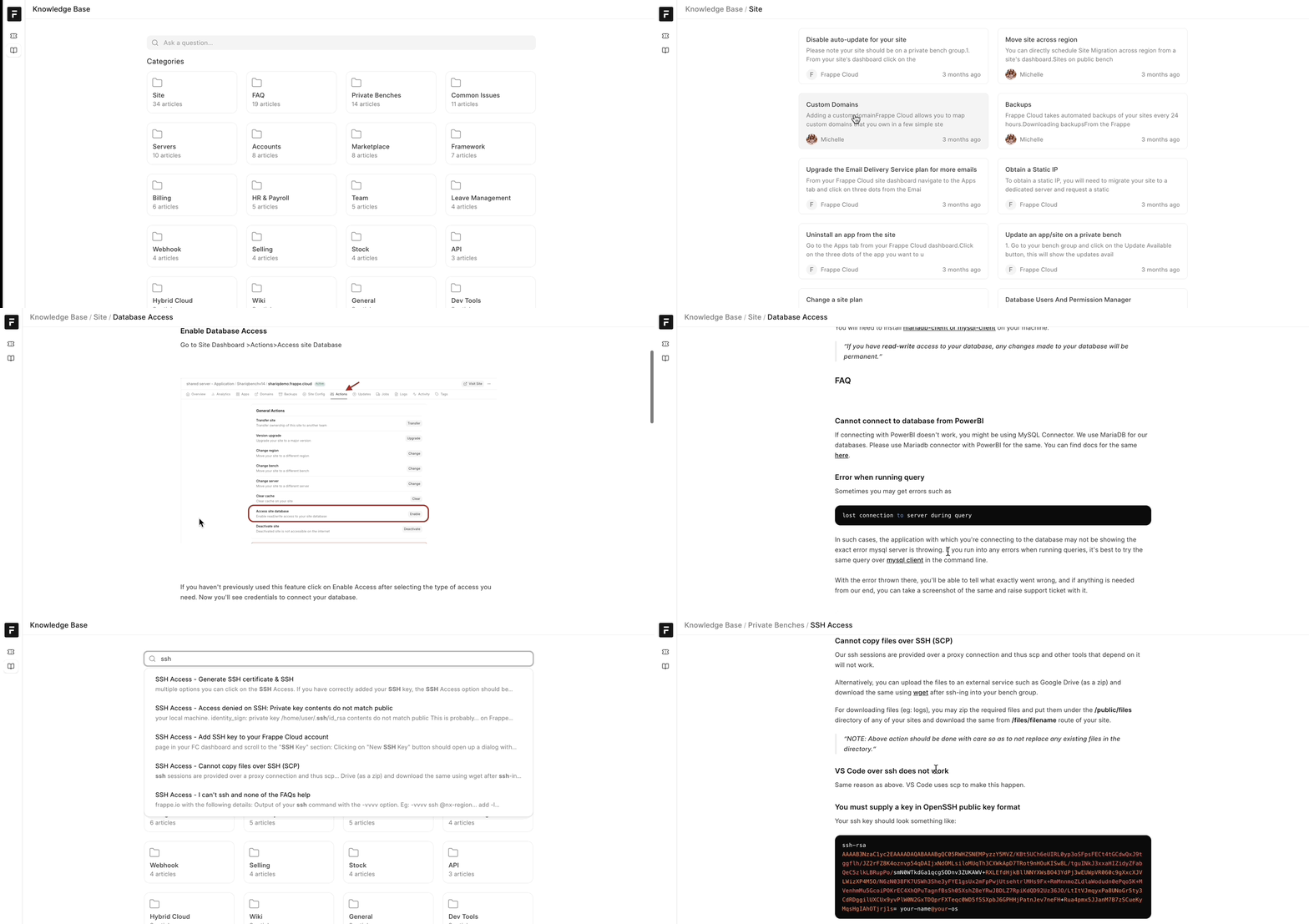
The Frappe Ecosystem
Powerful, open-source apps built on the same framework as ERPNext.
Frappe Apps
One framework. A growing suite of apps.
Frappe Apps
One framework. A growing suite of apps.
What Is Frappe Framework
ERPNext is one product built on top of Frappe — a full-stack, Python and JavaScript-based low-code framework that includes its own database abstraction layer, REST API generation, permission system, and admin interface out of the box. Where ERPNext gives you pre-built business modules, Frappe itself is the underlying platform those modules are built with — which means anything ERPNext doesn't cover natively can usually still be built cleanly on the same stack, using the same data model, the same login system, and the same permissions, rather than bolting on a disconnected third-party tool.
Key Capabilities
Extend the underlying Frappe Framework to build the exact data models, workflows, and integrations your operations actually need.
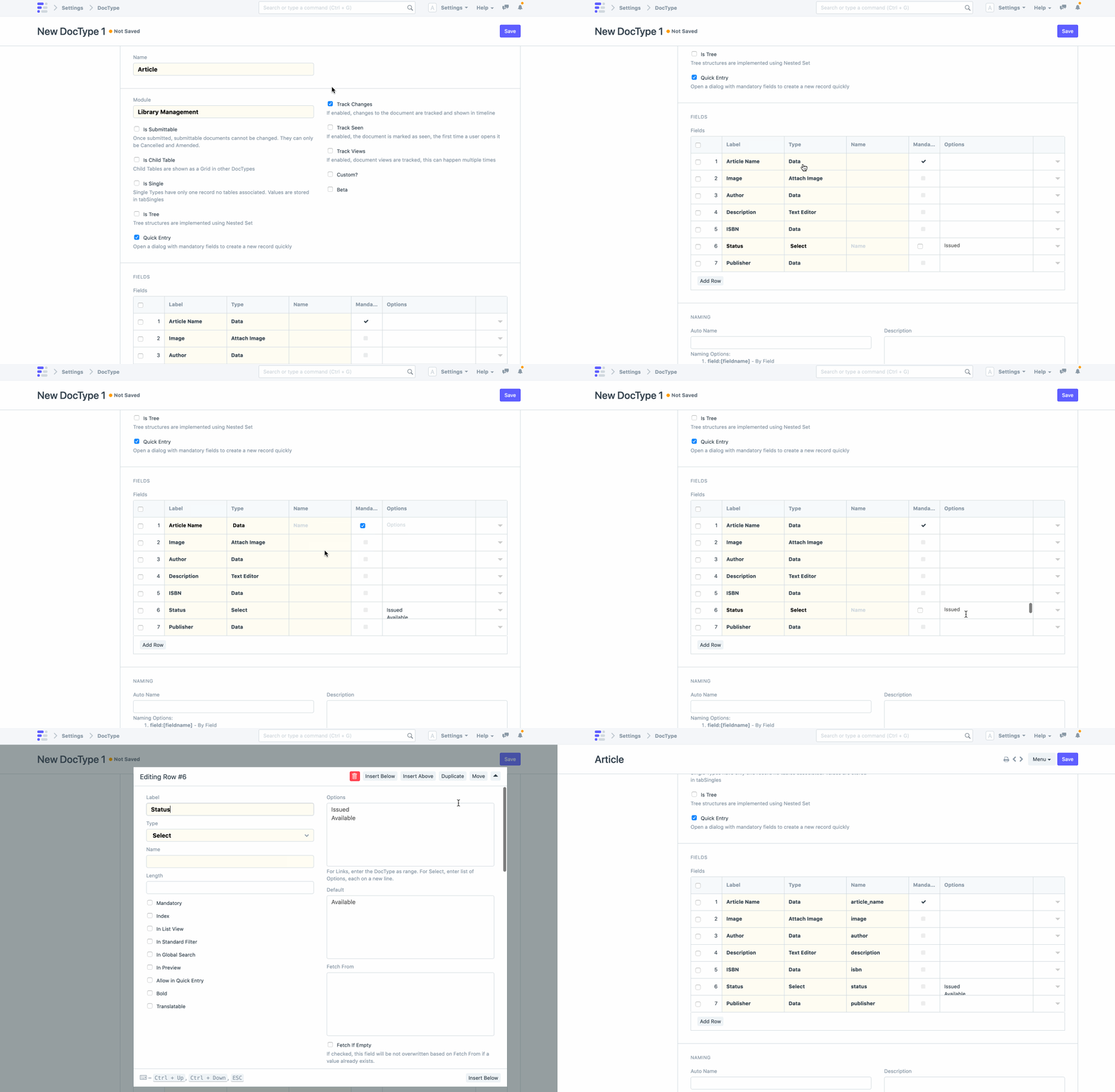
1. Custom DocTypes and data models
Frappe's DocType system lets you define entirely new data structures beyond ERPNext's built-in models — from a custom equipment-rental ledger to a specialized field-service ticket type — each complete with its own fields, validations, and permission rules. Since every DocType automatically gets a REST API endpoint, a searchable list view, and a customizable form layout the moment it's created, new business objects can go from concept to a working, permission-controlled interface in days rather than months of custom backend development. Even when your data has unusual relationships — a single order needing three levels of nested child tables, or a record needing to reference documents across different modules — Frappe's parent-child DocType architecture and Link fields handle it natively. If your business runs a workflow ERPNext simply doesn't model out of the box, chances are it can be represented as a purpose-built DocType rather than a workaround bolted onto an existing one.
2. Server-side business logic and workflows
Custom business rules live in Frappe's Server Scripts and Python controller hooks, letting you enforce validations, trigger automated actions, or calculate derived values the moment a document is saved, submitted, or cancelled — without waiting on a full release cycle to ship a rule change. Multi-step approval processes are modeled through Frappe's native Workflow engine, so a purchase order can move through Draft → Department Approval → Finance Approval → Approved states automatically, notifying the right person at each stage. Even highly specific rules — like blocking a sales order if a customer's outstanding balance crosses a threshold, or auto-assigning a support ticket based on product category — are straightforward to implement as document event hooks. If your approval chain or business logic doesn't map cleanly onto a generic toggle in standard software, that's exactly the kind of rule Frappe's scripting layer is built to handle.
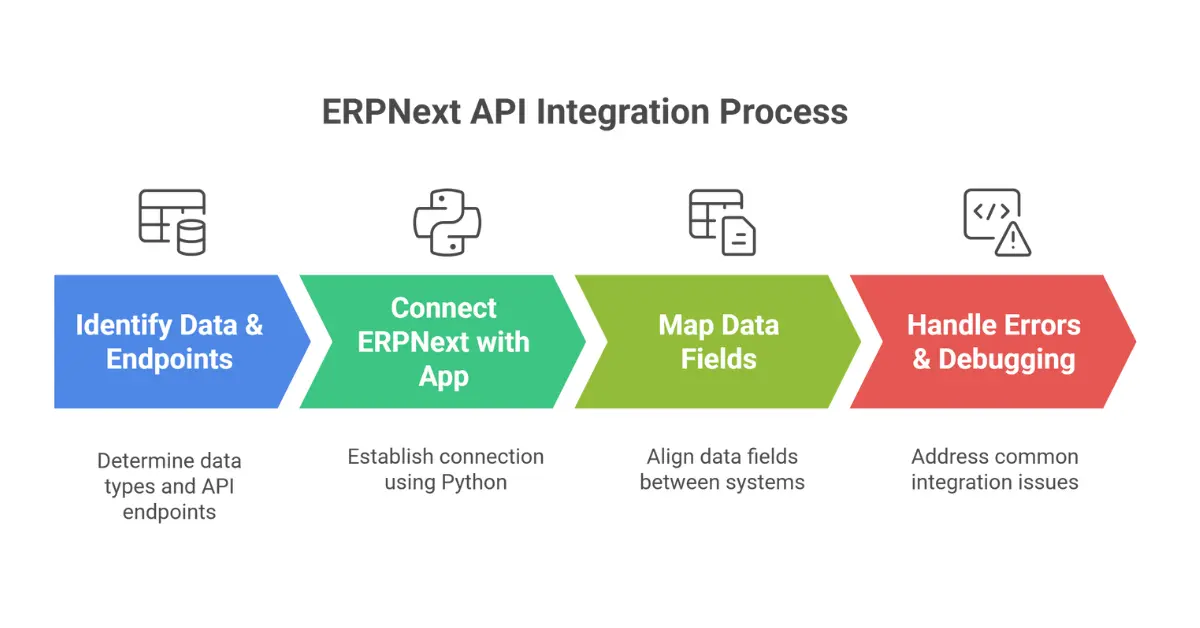
3. REST APIs and third-party integrations
Every DocType in Frappe automatically exposes a REST API, and custom API endpoints (via whitelisted methods) can be added for anything more specific — meaning your ERP data can talk to a payment gateway, an e-commerce storefront, a courier's tracking API, or an internal tool without a separate integration platform in between. Webhooks can be configured to fire on document events (a new sales order, a stock update) and push data outward in real time, while inbound integrations can create or update records the same way a user would through the UI, just automated. Even authentication is handled cleanly, through API keys and secrets or OAuth, so external systems connect securely rather than through a shared login. If you're currently exporting spreadsheets by hand to keep two systems in sync, that manual step is almost always replaceable with a scheduled or event-driven API integration.
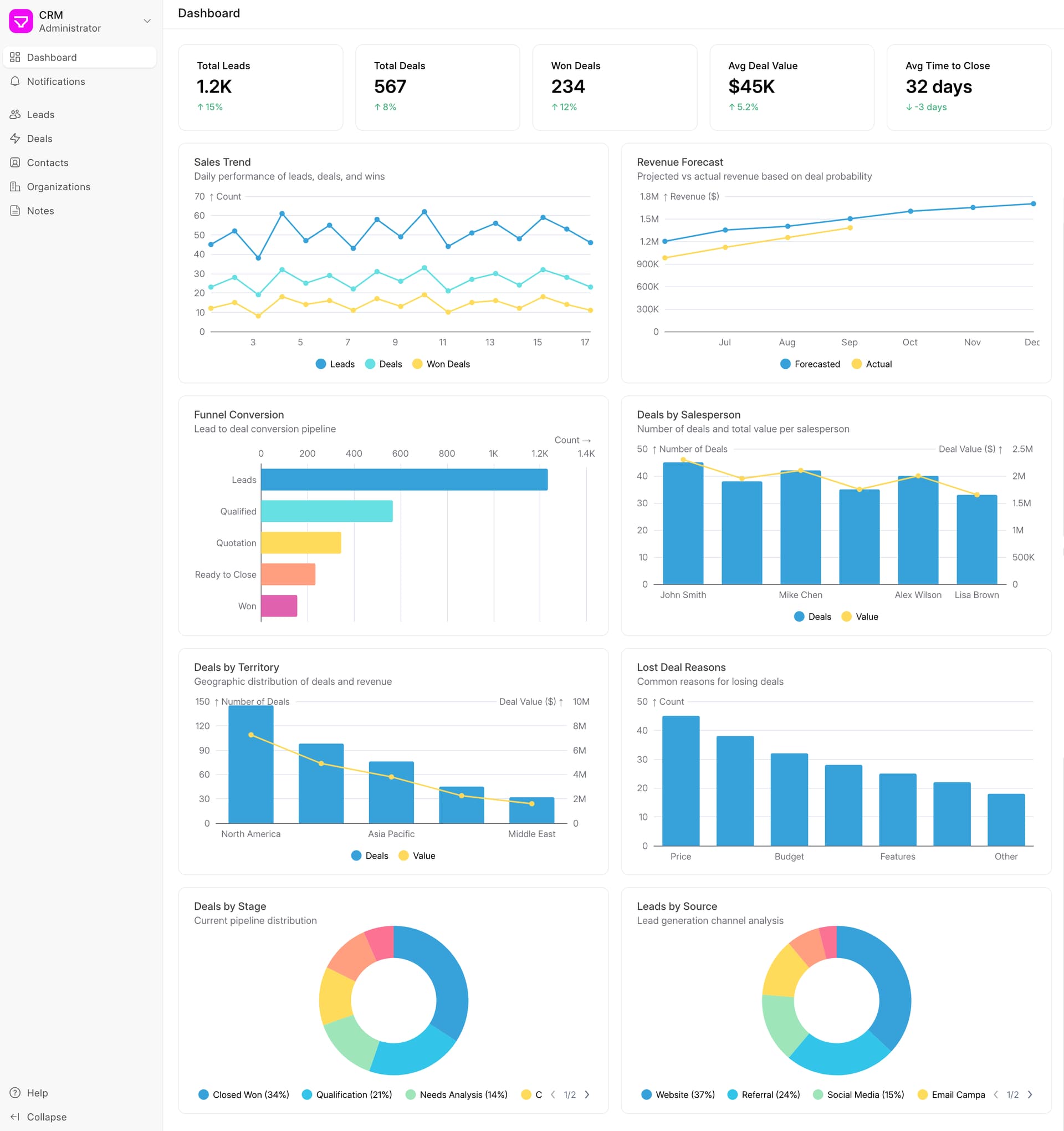
4. Custom reports and dashboards
Beyond ERPNext's built-in reports, Frappe supports three distinct reporting layers depending on complexity: Report Builder for simple filtered views anyone can configure without code, Query Reports for SQL-driven custom reports with parameters, and Script Reports for fully custom Python-driven logic and formatting. Number Cards and Dashboard Charts can be assembled into a live dashboard pulling from any of these report types, giving leadership a real-time view of exactly the metrics that matter to your business rather than generic default charts. Even complex cross-module reporting — blending manufacturing yield data with procurement cost data into a single margin-analysis view, for example — is achievable because Query and Script Reports can join across any DocType in the system. If a report currently takes someone half a day to assemble manually every month, it can usually be rebuilt as a live, always-current Frappe report instead.
5. Custom portals and customer/vendor-facing experiences
Frappe's web framework lets you build fully custom, branded portal experiences for customers, vendors, or field staff — separate from the internal admin interface — so external users only see the specific forms, order histories, or ticket views relevant to them. Portal pages can be built with Frappe's Jinja-based templating for simpler needs, or with a modern frontend (Frappe UI, Vue, or a headless setup calling the REST API) when the experience needs to feel like a dedicated product rather than a form. Role-based permissions ensure a vendor portal user only ever sees their own purchase orders and invoices, never another vendor's data, without any extra custom permission code required. Even self-service features — placing repeat orders, tracking shipment status, submitting support tickets — can be built directly into these portals, reducing the volume of routine requests that would otherwise land in someone's inbox.
6. Background jobs, scheduling, and automation
Frappe's background job queue (built on Redis Queue) handles anything that shouldn't block a user's screen while it runs — bulk email sends, large report generation, scheduled data syncs with external systems — processing them asynchronously so the interface stays fast even under heavy load. The Scheduler lets you run any function on a cron-style schedule, from a nightly stock reconciliation job to a weekly automated report emailed to management, without needing a separate task-scheduling tool. Even long-running imports or exports, like migrating years of historical transactions, can be queued as background jobs with progress tracking rather than tying up a browser tab for hours. If a recurring manual task currently lives on someone's calendar as a reminder to run every Monday, it's very likely automatable as a scheduled background job instead.
Additional Customization Capabilities
Custom print formats and document design
Jinja/HTML-based invoice, e-way bill, and packing slip templates matching exact branding/regulatory layout requirements.
Role-based permissions and access control
User Permissions, Permission Query Conditions, and custom Role Profiles for fine-grained access beyond ERPNext's defaults.
Isolating customizations into their own app (the Frappe Bench)
Packaging custom code as a separate installable app so it never conflicts with or gets overwritten by core ERPNext/Frappe updates.
Custom UI with Frappe UI or Vue
Building a modern, app-like frontend experience on top of Frappe's data layer for internal tools that need to feel like a dedicated product.
Marketplace app development and publishing
Packaging a custom app for reuse across multiple clients or publishing to the Frappe Cloud marketplace.
Notifications and alerts engine
Custom Email/SMS/Slack-style alerts triggered on document events (e.g., low stock, overdue invoice, SLA breach).
Custom fields vs. custom DocTypes — choosing the right scope
A short educational section helping prospective clients understand when a simple custom field is enough versus when a full new DocType/app is the right investment.
Understanding the Engine: Frappe vs. ERPNext
While ERPNext is a famous out-of-the-box ERP product, Frappe is the underlying metadata-driven web framework it's built upon. Frappe provides user authentication, database ORM, role-based permissions, and a beautiful UI out of the box. While we configure ERPNext for standard business operations, we leverage Frappe as a powerful low-code platform to build entirely new, bespoke software tailored perfectly to your industry.
What We Build on Frappe
From minor workflow automations to entirely standalone enterprise applications, we engineer solutions that fit your exact specifications.
Custom Frappe Apps
We build standalone, full-featured web applications on the Frappe framework that run independently of, or alongside, ERPNext. This is perfect for highly specific industry use cases that standard software can't handle.
Workflow Automation
Eliminate manual bottlenecks and human error by engineering complex, multi-stage approval workflows. We automate document generation, email dispatch, and scheduled background tasks.
Customer/Vendor Portals
We build secure, customized web portals that allow your external stakeholders to interact directly with your data. Customers can view orders and vendors can submit invoices seamlessly.
API & Third-Party Integrations
Connect your Frappe instance to the rest of your tech stack. We build reliable REST, GraphQL, and webhook integrations for payment gateways, CRMs, logistics providers, and IoT devices.
Custom Data Models & DocTypes
We extend standard functionality by creating brand new relational database tables (DocTypes) tailored perfectly to capture and process your unique operational data points.
UI/UX Customization
We redesign Frappe workspaces, web portals, and client-facing Desk pages to match your brand guidelines perfectly. A better user experience directly improves system adoption rates.
Performance & Scalability
For high-volume, data-heavy instances, we optimize database SQL queries, configure advanced Redis caching, and tune background worker queues to ensure lightning-fast load times.
Marketplace App Development
Have a SaaS product idea? We help visionary founders build, package, and successfully launch commercial applications directly on the robust Frappe Cloud Marketplace.
Our Customization Process
A transparent, agile approach to custom software engineering that guarantees what we build is exactly what you need.
Requirement & Feasibility Assessment
We start by deeply analyzing your business problem. We assess whether the solution requires a completely custom app, or if it can be achieved by extending standard functionality, keeping your technical debt as low as possible.
Technical Design & Architecture
Our senior architects design the exact data models (DocTypes), define the required API endpoints, and map the user permissions. We provide a detailed technical specification document before writing a single line of code.
Agile Development Sprints
Development is broken down into structured 1-2 week sprints. At the end of each sprint, we deploy the work-in-progress to a staging server, allowing you to demo the functionality, test the UI, and provide early, critical feedback.
QA & User Acceptance Testing
Our QA engineers rigorously test the application for edge cases, security vulnerabilities, and performance bottlenecks. You then conduct User Acceptance Testing (UAT) to verify the app meets the initial requirements perfectly.
Deployment & Ongoing Maintenance
We package the custom app and deploy it safely to your production server via automated CI/CD pipelines. Post-launch, we provide ongoing maintenance to ensure your custom code remains completely compatible with future Frappe Framework version upgrades.
Our Stack
We leverage a modern, robust open-source stack to deliver scalable, enterprise-grade Frappe applications.
Custom Loyalty Program App Integrated with POS
Spectrum needed a complex, tier-based loyalty program that integrated directly into their existing ERPNext Point of Sale system in real-time. Standard solutions were far too rigid. We built a standalone Frappe App that calculates points across 15+ variables, handles SMS OTP redemption, and syncs accounting ledgers instantly without latency.
"The ERPNext team didn't just write code; they engineered a solution that fit perfectly into our chaotic retail environment without slowing down the checkout counter for a second."
Frequently Asked Questions
Have a Complex Requirement?
If you can describe the workflow, we can build it on Frappe. Schedule a technical consultation with our lead architects to discuss project feasibility and timelines.